Showing posts with label Photoshop Textures. Show all posts

Monday, May 28, 2012

Hadiyah Character Exploration

We've been working on our story, character relationships, and visual exploration simultaneously


I've been doing the visual development, starting with silhouette, stance, and general body build. We knew we wanted her to read as strong and capable, so I'm leaning toward a stockier build and heavier weapons. She's almost certainly a melee fighter.


Tuesday, May 1, 2012

Goes Around - Beauty Shot


Here is a still from one of my favorite moments in the film. 

Goes Around - Final Film


Here it is! The final film.

My goal with this piece was to tell a story in which an environment prop, the carousel, was the protagonist, and to pit it against a human antagonist. I always thought of the carousel as the hero, and I wanted it to display a two-sided personality; cute and harmless at the beginning and end, yet forceful and strong when the need arose.

My secondary goal was to translate a 2D cartoony feel into 3D without losing the stylized charm.

Wednesday, December 14, 2011

Mo'kai Character Sheet and Still Frame


The final character sheet offers a comparison between the original concept art and the 3D model.. Below is one of my favorite frames from the film. 


Mo'kai is running a time trial through an obstacle course as a right of passage. The film opens on him navigating the final stretch of a high-tech pipe gorge.  After nearly missing his leap over a deep chasm, he crosses the finish line and struts away victorious.

While the story is short and simple, this project was mostly about pulling off an entire film by myself. Character design, world building, and design documents were prepared ahead of time from a loose prompt. Then the remaining visual development, modeling, textures, rigging, animation, rendering and compositing were crammed into a single 14-week semester. Most of the work was done in 3DS Max, textures created in Photoshop, and compositing done with After Effects.

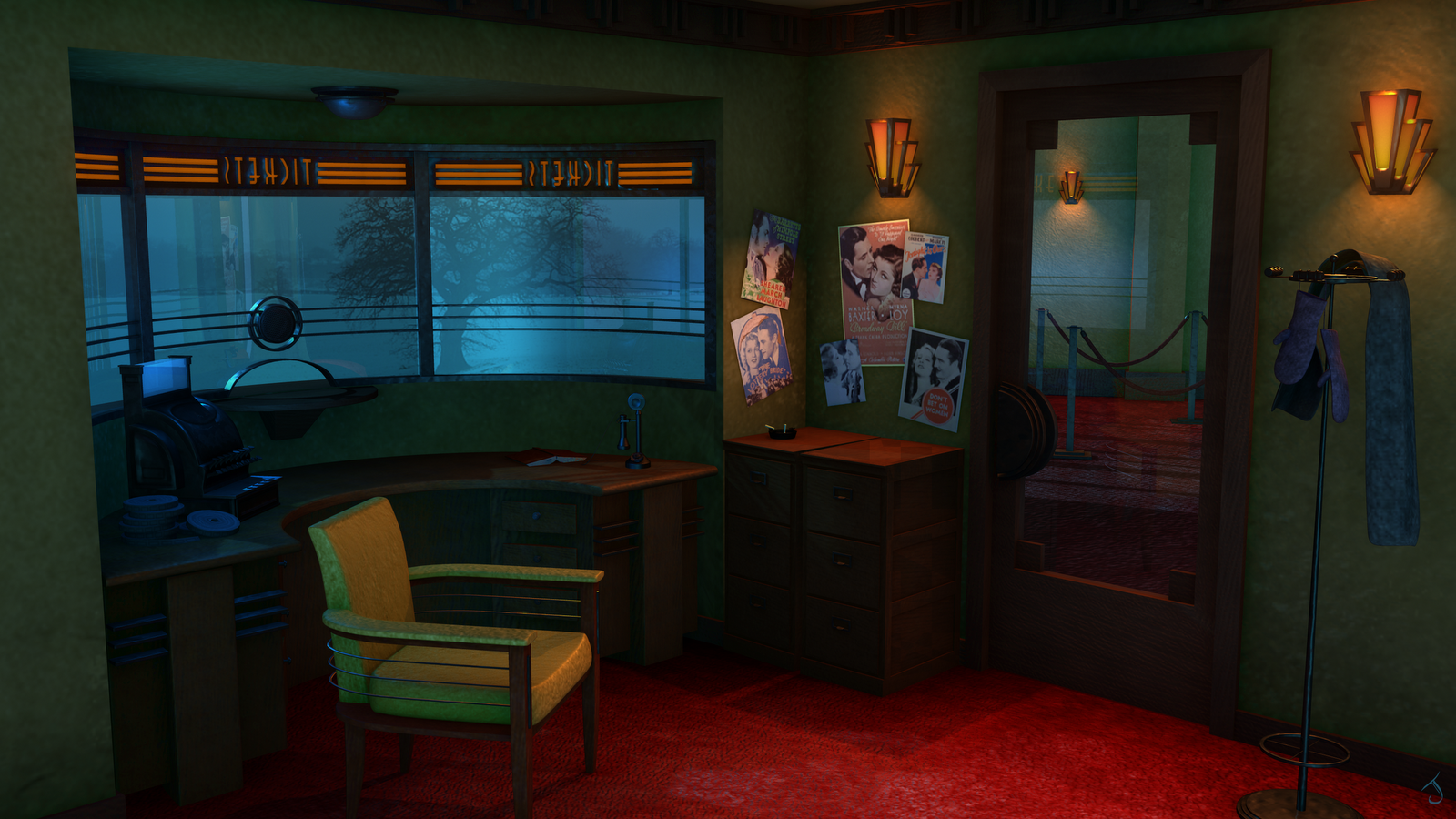
Art Deco Box Office


This is a paint-over of the low-poly Maya model to explore color, texture, mood, and lighting.

Why I chose this scene:
1. I love art deco. 
2. With another mild Seattle winter looming large in real life, I wanted to create a space where someone could hide out from the bitter cold of a real Midwestern winter while watching the pageant of snowflakes outside.
3. I wrote a character once who lived in 1930's Iowa and dreamed of being a Hollywood starlet. This space is for her. 


After several more iterations, here's how the final render came out.

Thursday, July 28, 2011

Old Western Hotel


When I was a kid, I used to climb around on the rooftops of our house. It wasn't enough to explore the inside, I wanted to see how all the other spaces felt, too. Maybe that's why I play 3D platformers now.

I wanted the design of this building to spark that same need to explore. As I worked out the thumbnails, I was thinking: how would I get to the roof? What configuration of interior rooms and hallways would let me get to a particular door, window, or balcony? 

I was also thinking about the building's history. The little building was originally a flat-roofed single-story shack until its owner lost it to the hotel to settle his gambling debts. At first, the hotel just used it for storage. Some time later, when the hotel needed to expand, they added another floor, expanded the balcony, and converted those spaces into rooms.

Final building specs: 9,729 polygons, 3 texture sets at 1024x1024.


Monday, April 25, 2011

Will Fain Model


Well, here's how my first human in 3DS Max came out. A lot of learning happened, that's for sure.